Anonymous Instagram Story Viewer
View active Story photos and videos from a public Instagram profile in a simple browser page.
How It Works
Follow these real mobile examples to use Anonymous Instagram Story Viewer in a few simple steps.
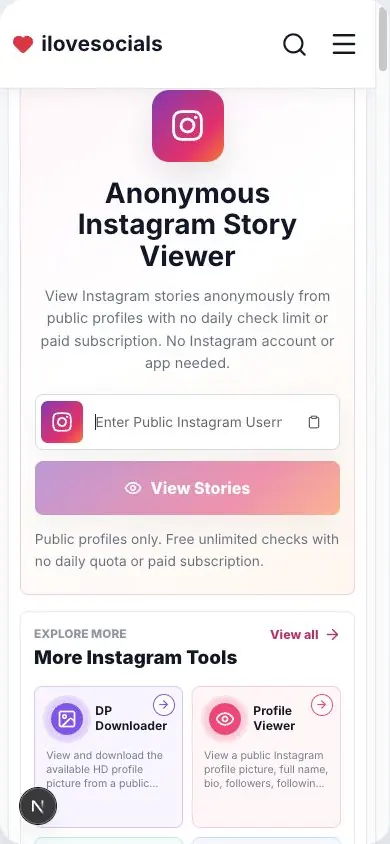
Enter a Public Username
Type an Instagram username or paste the profile link of a public account.
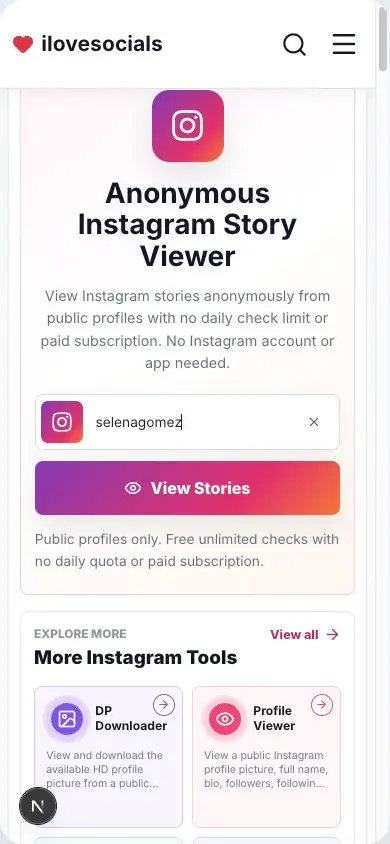
Tap View Stories
Complete the quick security check and let the viewer find the active stories.
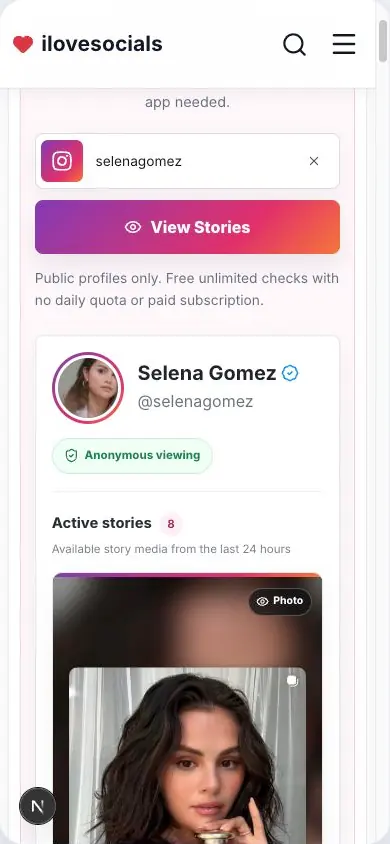
Watch Anonymously
Browse story photos and videos online, or download available media when needed.
Current Story updates
Shows the current Story updates shared by a public profile.
Photo and video preview
View Story pictures and play Story videos in your browser.
Story timing
See the posting age and estimated time left for each item.
Simple browser viewing
Open the Story result from your phone or computer browser.
Before you check an Instagram Story
View active Instagram Stories
Enter the username of a public account and tap View Stories. If the account has an active Story, you can view the photos and play the videos on this page.
You can also see when each Story was posted and about how much time is left before it disappears.
Made for current Stories
Instagram Stories are live for about 24 hours. This page is designed around the Stories that are active when you search.
Highlights are saved collections on an Instagram profile, while this viewer keeps the experience focused on current Story updates.
Photos and videos
Save available Story pictures and videos directly to your device. The quality depends on what Instagram provides.
Save your own content or media you have permission to keep.
Made for public profiles
Enter the username of a public profile to view the active Stories shared with everyone.
The viewer works from the username you enter, keeping the experience separate from your personal Instagram account.
Key Highlights
What you can expect
This page explains the same information you will see in the Story result.
- Public profile viewing
- Active Story photos and videos
- Posted time and time left
- Easy photo and video saving
Anonymous Instagram Story Viewer editorial review
The iLoveSocials editorial team reviewed Anonymous Instagram Story Viewer for clear instructions, mobile usability, privacy-aware operation, and a straightforward browser-based workflow.
Reviewed by iLoveSocials Editorial Team
Frequently Asked Questions
Is ilovesocials.com Safe to Use?
ilovesocials.com is designed for privacy-aware use without asking for your social media password.
Our tools process supported public links or public profile information only when you request a result.
How we protect a simple, transparent experience:
- We do not ask for Instagram login details or passwords
- We do not require account access or authentication
- Limited technical and usage data is handled as described in our Privacy Policy
- No forced pop-ups, redirects, or hidden downloads
- Works directly through your browser using publicly available content
Review our policies to understand how the service works, what data may be processed, and your responsibilities when using downloaded content.
Use it with care
Stories belong to their creators. View and save public Story media with care, and keep the creator's permission in mind before sharing or reusing it.