Instagram Profile Viewer
View an Instagram account's public picture, bio, website, follower and post totals, category, verified badge, and account status.
How It Works
Follow these real mobile examples to use Instagram Profile Viewer in a few simple steps.
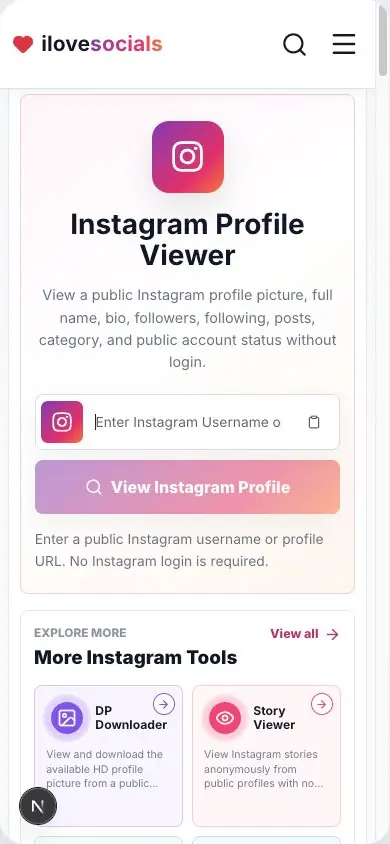
Add the Profile
Enter the username or paste the account's main Instagram profile link.
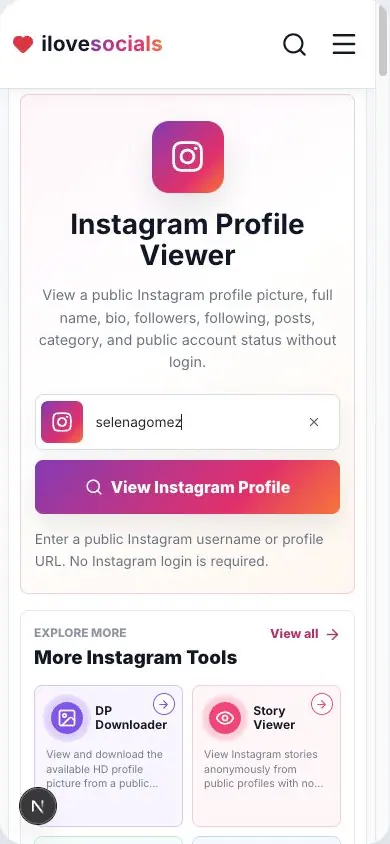
Load Public Details
Click View Instagram Profile and wait for the public account information.
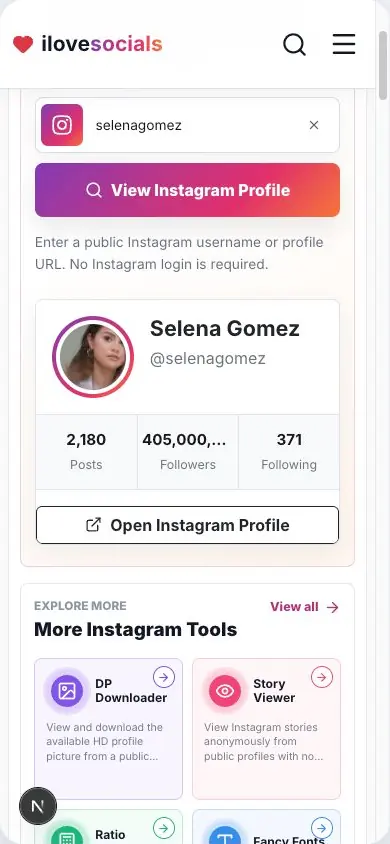
Review the Result
Check the profile picture, bio, follower totals, following total, and post count.
Account summary
Bio, website, category, badges, and public status in one result.
Fresh public totals
See the follower, following, and post totals returned for this check.
Original profile link
Open the matching Instagram page to compare the details yourself.
Public profile focus
A clear view of the account details shared publicly.
What the Instagram Profile Viewer actually shows
See the main profile details in one place
Enter an Instagram username or profile link to see the public details available for that account. The result can show the profile picture, full name, username, bio, website, followers, following, post count, category, verified badge, and account status.
Every account is different, so the result shows the details available for the profile you searched.
What the numbers mean
Follower, following, and post totals are a quick snapshot from the time you search. They can change later, so run the search again when you need a fresh number.
Use the numbers as a starting point, then open the original Instagram profile when you want to learn more about the account.
Helpful ways to use the viewer
Use the profile viewer to confirm a username, read a public bio, visit the account's website, check current public totals, or compare the result with the original Instagram profile.
Choose the correct link
Use the exact username or the account's main Instagram profile link. For the best result, copy the link from the top of the profile page.
Key Highlights
What you can expect
The page brings the available public account details together in one easy result.
- Profile picture, name, username, bio, and website
- Follower, following, and post totals
- Category, verified badge, and privacy status
- A direct link to the original Instagram profile
Instagram Profile Viewer editorial review
The iLoveSocials editorial team reviewed Instagram Profile Viewer for clear instructions, mobile usability, privacy-aware operation, and a straightforward browser-based workflow.
Reviewed by iLoveSocials Editorial Team
Frequently Asked Questions
Is ilovesocials.com Safe to Use?
ilovesocials.com is designed for privacy-aware use without asking for your social media password.
Our tools process supported public links or public profile information only when you request a result.
How we protect a simple, transparent experience:
- We do not ask for Instagram login details or passwords
- We do not require account access or authentication
- Limited technical and usage data is handled as described in our Privacy Policy
- No forced pop-ups, redirects, or hidden downloads
- Works directly through your browser using publicly available content
Review our policies to understand how the service works, what data may be processed, and your responsibilities when using downloaded content.
Use it with care
Use public profile details thoughtfully. For important decisions, compare the result with the original Instagram profile and information shared by the account owner.