Instagram Fancy Fonts Generator
Turn your words into 40 copy-and-paste text styles for Instagram names, bios, captions, and comments.
How It Works
Follow these real mobile examples to use Instagram Fancy Fonts Generator in a few simple steps.
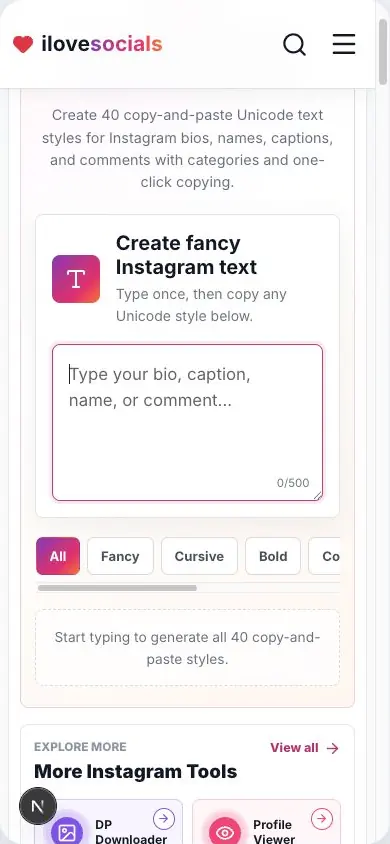
Type Your Text
Enter a name, bio, caption, comment, or any short message.
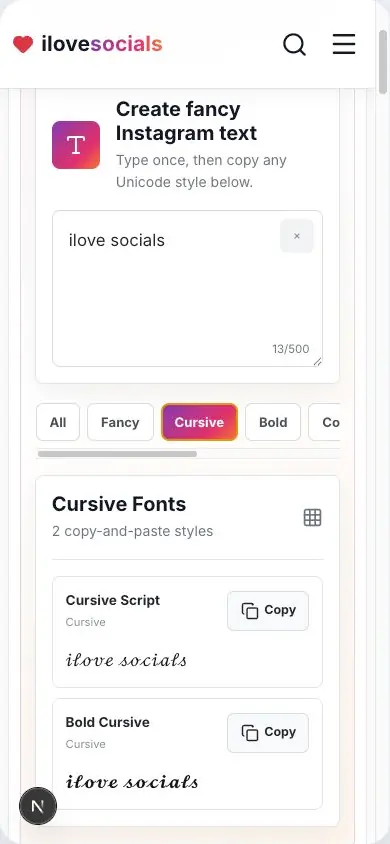
Browse Font Categories
Filter through fancy, cursive, bold, cool, small, glitch, and symbol styles.
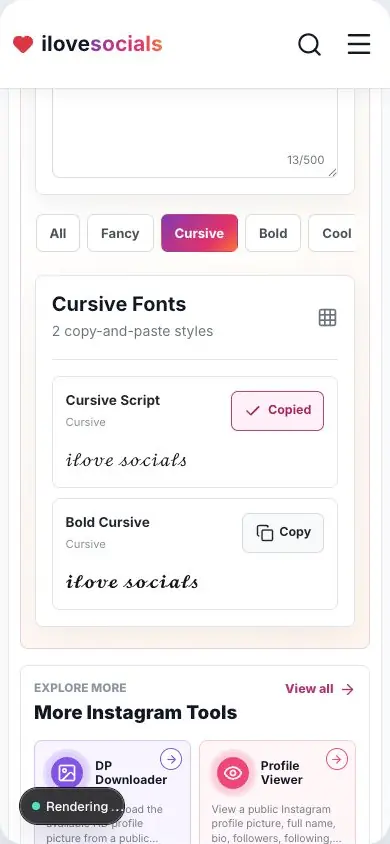
Copy and Paste
Copy your favorite result and paste it into Instagram or another compatible app.
40 text styles
Compare Cursive, Bold, Cool, Small, Glitch, Symbols, and more.
Changes as you type
See every style update instantly as you type.
One-tap copy
Copy a result and paste it into Instagram or another app.
Ready in your browser
Create and copy the text directly from this page.
How to use fancy Instagram text
Make stylish text for Instagram
Type your name, bio, caption, or short message once. The page instantly creates 40 different styles. Browse all of them or choose a category such as Cursive, Bold, Cool, Small, Glitch, or Symbols.
Tap Copy beside the style you like, then paste it into Instagram. You can also use the copied text in other apps that support the same characters.
Copy and paste your favorite style
Every result is ready to copy. Tap the Copy button, open Instagram, and paste the style into your name, bio, caption, or comment.
Common English letters and numbers give you the widest choice of styles. Emojis and other characters stay easy to recognize.
Choose a style that looks clear everywhere
Bold, Italic, Cursive, and Small Caps are good choices for a clean look across many phones and apps. Preview the text after pasting and choose the version that looks best on your profile.
Keep important text easy to read
Fancy text looks best on a short name or one part of a bio. For a phone number, business name, address, or important message, normal text is easier for everyone to read and easier for screen readers to understand.
Your text changes directly on this page as you type, ready for you to copy.
Key Highlights
What you can expect
The guide matches the 40 styles, category buttons, live preview, and copy buttons available above.
- 40 working text styles
- Seven style categories plus All
- Live results and one-tap copy
- Simple tips for clear, readable text
Instagram Fancy Fonts Generator editorial review
The iLoveSocials editorial team reviewed Instagram Fancy Fonts Generator for clear instructions, mobile usability, privacy-aware operation, and a straightforward browser-based workflow.
Reviewed by iLoveSocials Editorial Team
Frequently Asked Questions
Is ilovesocials.com Safe to Use?
ilovesocials.com is designed for privacy-aware use without asking for your social media password.
Our tools process supported public links or public profile information only when you request a result.
How we protect a simple, transparent experience:
- We do not ask for Instagram login details or passwords
- We do not require account access or authentication
- Limited technical and usage data is handled as described in our Privacy Policy
- No forced pop-ups, redirects, or hidden downloads
- Works directly through your browser using publicly available content
Review our policies to understand how the service works, what data may be processed, and your responsibilities when using downloaded content.
Use it with care
A small amount of fancy text often looks best. Keep names, contact details, and important messages clear so every visitor can read them easily.